
Disclosure: Shhots AI is our product.
Shhots AI is the best AI image to video generator in 2026 for turning a product photo into a video ad, because it runs Google Veo 3, Kling 3, and Seedance 2.5 in one workspace and builds the ad around your real product with no prompt writing. For open creative work the picks are different: Google Veo 3.1 for cinematic quality, Kling 3.0 for character motion, Runway Gen-4.5 for frame-level control, and Seedance for the most usable free tier. Twelve tools are compared below, with prices checked on 9 September 2026.
Last updated: September 2026. Prices and free tiers were checked against each vendor’s pricing page on 9 September 2026. Where a vendor hides prices behind a login, the table says so instead of guessing.
| Tool | Best for | Entry price (Sep 2026) | Free tier | Watermark on free |
|---|---|---|---|---|
| Shhots AI | Product video ads from one photo | $19/mo, 2,000 credits | No | No watermark on any plan |
| Google Veo 3.1 | Cinematic shots with native audio | $19.99/mo (Google AI Pro) | Limited free credits in Flow and Gemini | Yes |
| Kling 3.0 | Character motion and lip sync | About $7 to $10/mo (Standard, secondary reporting) | 66 credits a day | Yes, non-commercial |
| Runway Gen-4.5 | Frame-level creative control | $12/mo annual ($15 monthly), 625 credits | 125 one-time credits | Not stated on free; none on paid |
| Seedance 2.0 / 2.5 | Free daily credits, 30-second clips | Free via Dreamina and CapCut; paid tiers vary by host | Daily refreshing credits | No |
| Pika 2.5 | Cheapest paid social clips | $8/mo annual ($96/yr), 700 credits | 80 credits a month, 480p | Yes |
| Luma | Cinematic camera moves, multi-model access | $30/mo ($25 annual), 10,000 credits | Not listed as of Sep 2026 | n/a |
| Hailuo AI (MiniMax) | Realistic motion on a budget | About $9.99/mo (as of Aug 2026) | Daily free credits | Yes |
| PixVerse | Effects and stylized social clips | About $10/mo (as of Aug 2026) | 60 credits a day, 540p to 720p | Yes |
| Vidu | Multi-image reference videos | Not disclosed to crawlers | Yes, small daily allowance | Yes |
| Adobe Firefly | Licensed, commercially safe output | $9.99/mo, 2,000 credits, about 20 five-second videos | Free daily generations | Yes |
| Higgsfield | Model aggregator with camera presets | $9/mo, 120 credits (as of Aug 2026) | Watermarked, limited models | Yes |
Quick picks. Product ads without a watermark: Shhots AI. Best free daily allowance: Seedance through Dreamina or CapCut. Best cinematic output: Veo 3.1. Best human motion: Kling 3.0. Best control: Runway. If you are comparing Higgsfield-style packagers, the Higgsfield AI alternatives guide goes deeper on that category.
How we tested
We ran one product photo, a skincare bottle on a white background, through the six models Shhots hosts: Google Veo 3, Kling 3, Seedance 2.5, Nano Banana Pro, Nano Banana 2, and ChatGPT Image 2. We judged three things: whether the label stayed legible, whether lighting held across the clip, and whether the bottle warped when it moved. Every render ran on the same account, so the results compare cleanly.
For the six tools we do not host, this guide compares published specs, free-tier rules, and prices, verified on each vendor’s pricing page on 9 September 2026. Where a vendor’s pricing page renders nothing to a crawler (Kling, Vidu), the table says “secondary reporting” or “not disclosed” rather than inventing a number.
We price everything in USD.
The 12 best AI image to video generators
1. Shhots AI: best for product video ads
Most image to video tools animate whatever sits in the photo you give them. Shhots does something the others in this list cannot: it takes your product, places an AI actor with it in a new scene using an image model, then animates that frame with a video model. That is the gap between a product photo that moves and an ad with a person using your product.
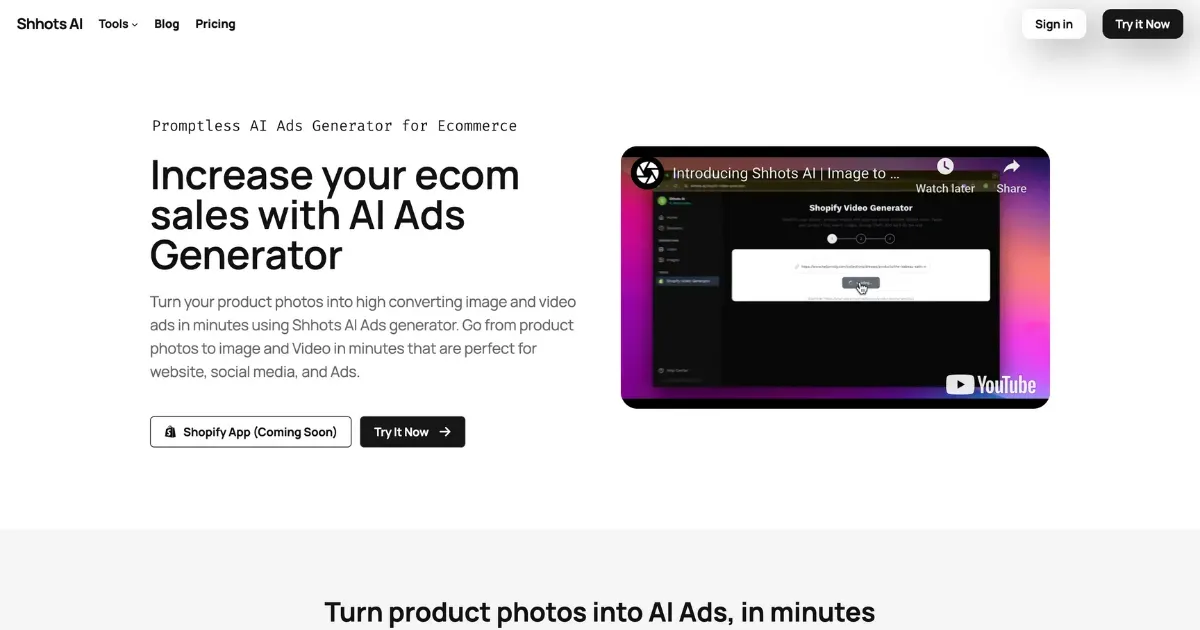
Shhots writes the script and shot list from your product, then routes each shot to the model that suits it. You approve the direction and generate. There is no prompt to write.
The models Shhots runs, compared on the same photo
| Model | Role | Best for | Max clip | Native audio | Max resolution |
|---|---|---|---|---|---|
| Google Veo 3 | Video | Cinematic shots with sound | 8 seconds | Yes | Up to 4K |
| Kling 3 | Video | Character realism, lip sync | 15 seconds | Yes | Up to 4K |
| Seedance 2.5 | Video | A full scene in one pass | 30 seconds | Yes | Up to 4K |
| Nano Banana Pro | Image | Photoreal product scenes, sharp labels | Still | n/a | Up to 4K |
| Nano Banana 2 | Image | Fast scene variations | Still | n/a | Up to 4K |
| ChatGPT Image 2 | Image | On-image text and promo layouts | Still | n/a | Up to 4K |
On our skincare bottle, Nano Banana Pro kept the label readable in every frame it built. Veo 3 gave the cleanest cinematic pass with usable ambient sound. Kling 3 handled the actor’s hands and face best. Seedance 2.5 was the only model that held a 30-second scene together without stitching.
Pricing: $19/mo Starter (2,000 credits), $49/mo Pro (6,000), $99/mo Scale (12,000). A 10-second clip uses about 550 credits. No free tier. Every plan exports without a watermark and includes a commercial license.
Where it loses: Shhots is built for product and ad video. If you want abstract art, narrative film, or a music video, pick Runway or Veo directly.
2. Google Veo 3.1: best cinematic quality
Veo 3.1 is the model to beat on photorealism and it generates native audio, so dialogue, effects, and ambient sound land in the same pass. Clips run about 8 seconds and can be extended. Output goes up to 4K on paid plans.
Access is the catch. Veo lives inside Google Flow and the Gemini app. The free allowance is a small daily credit pool that covers a handful of clips at 720p; Google AI Pro at $19.99/mo (US price, verified August 2026) opens the higher quality tiers. There is no standalone Veo subscription.
Pick it when the shot has to look like film. Skip it when you need volume; the credit cap runs out fast.
3. Kling 3.0: best character motion
Kling owns human movement. Faces stay consistent, lip sync tracks a script, and hands do what hands should. Clips run up to 15 seconds at up to 4K with native audio, and paid plans can extend a clip to around 3 minutes.
The free tier gives 66 credits a day with a watermark and no commercial use. Kling’s membership page renders no prices to a crawler, so every published Kling price, including ours, comes from secondary reporting: roughly $7 to $10/mo for Standard as of August 2026. Verify in-app before subscribing. Our Kling AI pricing post has the credit math.
Pick it when a person is in the frame. Skip it when the product itself is the subject; Kling will animate the photo but will not add an actor holding your product.
4. Runway Gen-4.5: best creative control
Runway is the tool for people who want to direct. Multi-motion brush applies different motion to different regions of the image, camera controls are precise, and Gen-4.5 costs 60 credits per 5 seconds. Runway also hosts Kling 3.0, Seedance 2.0, and Nano Banana Pro inside the same editor.
Pricing (verified 9 September 2026): Free with 125 one-time credits. Standard $12/mo billed annually ($15 monthly) for 625 credits with no watermark. Pro $28/mo annual ($35 monthly) for 2,250 credits. Max $76/mo annual ($95 monthly) for 9,500 credits.
Pick it when you know the exact move you want. Skip it when you want a finished ad without a learning curve.
5. Seedance 2.0 and 2.5: best free daily allowance
Seedance is ByteDance’s video model and the most generous free option in this list. Through Dreamina and CapCut it refreshes free credits daily, exports without a watermark, and allows commercial use on the free tier. Seedance 2.5 generates a native 30-second clip in one pass, the longest single take of any model here.
Paid tiers depend on which host you use, and neither Dreamina nor CapCut publishes a plan table a crawler can read, so we do not quote one. Expect peak-hour queues on the free tier.
Pick it when you want to test ideas for free or need one long take. Skip it when you need guaranteed turnaround.
6. Pika 2.5: cheapest paid social clips
Pika is the low-friction pick for casual social video. Effects like Pikaffects, Pikaswaps, and Pikaframes are fun and fast, and the paid entry price is the lowest on this list.
Pricing (verified 9 September 2026): Free with 80 credits a month at 480p with a watermark, image-to-video only. Standard $8/mo billed annually ($96/yr) for 700 credits, 1080p, no watermark. Pro $28/mo annual for 2,300 credits and clips up to 25 seconds with Pikaframes. Fancy $76/mo annual for 6,000 credits.
Pick it when you make quick social content on a budget. Skip it when product accuracy matters; Pika’s polish trails Runway and Kling.
7. Luma: cinematic camera moves, now multi-model
Luma’s Ray models produce smooth, natural camera movement, and Luma now sells access to third-party models (Seedance, Kling, Veo 3.1) alongside Ray 3.2 in one workspace.
The lineup changed in 2026. As of 9 September 2026 Luma’s pricing page lists Plus at $30/mo ($25 annual) for 10,000 credits, Pro at $90/mo, and Ultra at $300/mo, all with commercial use. The old Dream Machine free tier and $9.99 Lite plan no longer appear on that page. If you see them, you are on a legacy account.
Pick it when you want Luma’s camera feel and several models in one bill. Skip it when $30/mo is too much for a first test; Pika and Seedance cover that.
8. Hailuo AI (MiniMax): realistic motion on a budget
Hailuo’s MiniMax models are strong on micro-expressions and physical motion, and the free tier refreshes daily credits. Clips run up to about 10 seconds at 1080p on paid plans. The site advertises a paid plan but does not render prices to a crawler; secondary reporting put the entry plan around $9.99/mo in August 2026. Watermarked on free, removed on paid.
Pick it when you want lifelike motion for the least money. Skip it when you need a predictable queue; free-tier speed varies with load.
9. PixVerse: effects and stylized clips
PixVerse leans into templates and effects for social video, with 60 free credits a day at 540p to 720p and a watermark. Paid plans, around $10/mo as of August 2026, remove the watermark and raise output to 1080p. It also hosts Seedance for longer clips.
Pick it when you want stylized, template-driven clips fast. Skip it when you need clean, product-accurate output.
10. Vidu: multi-image reference videos
Vidu’s strength is reference control: feed it several images of a product, a person, or an outfit and it keeps them consistent across the clip. Clips run 6 to 8 seconds. The free tier gives a small daily allowance with a watermark. Vidu’s pricing page loads its plan table client-side, so we could not verify prices on 9 September 2026 and do not quote them.
Pick it when consistency across several reference images matters. Skip it when you need longer clips.
11. Adobe Firefly: licensed, commercially safe output
Firefly’s selling point is legal safety: Adobe trains on licensed content and indemnifies commercial use on paid plans. Video generation is credit-based and clips are short.
Pricing (verified 9 September 2026): Free daily generations with limits. Standard $9.99/mo for 2,000 credits, about 20 five-second videos. Pro $19.99/mo for 4,000 credits, about 40 videos, with Adobe Express Premium and Photoshop web. Pro Plus $49.99/mo for 10,000 credits. Premium $199.99/mo with unlimited Firefly Video Model access.
Pick it when legal review is the bottleneck. Skip it when you need more than a few dozen short clips a month; the credit math gets expensive.
12. Higgsfield: model aggregator with camera presets
Higgsfield packages Seedance, Veo, Kling, and others behind cinematic camera presets. It is a good way to sample models, and its Soul image model is popular for stylized stills.
Pricing (as of August 2026): Basic $9/mo for 120 credits with selected models only. Pro $29/mo ($23 annual) for 600 to 900 credits and all models. Max $79/mo. Free use is watermarked with no credits. Higgsfield A/B tests prices per visitor, so verify at checkout. A 4K Seedance clip costs 110 credits against Basic’s 120, which is why we rate it a sampler rather than a production tool.
Pick it when you want to try many models cheaply. Skip it when you need consistent volume; the credit gating bites fast. Full breakdown in the Higgsfield AI alternatives guide.
Which one should you pick
- Product ad with a person using your product: Shhots AI, image model into video model, from $19/mo.
- Cinematic brand shot: Google Veo 3.1, or Veo 3 inside Shhots.
- Face or spokesperson motion: Kling 3.0.
- Longer single take: Seedance 2.5, free through Dreamina or inside Shhots.
- Frame-by-frame control: Runway Gen-4.5.
- Free testing with no watermark: Seedance via Dreamina or CapCut, or Pika on a paid $8/mo plan.
- Legal indemnity: Adobe Firefly.
You reach Veo 3, Kling 3, Seedance 2.5, and the image models with one signup on the Shhots AI image to video tool. The generative models page compares them side by side.
FAQs
Which AI image to video generator is best in 2026?
For product ads, Shhots AI, because it runs Google Veo 3, Kling 3, and Seedance 2.5 in one place and builds the video around your real product for $19/mo. For open creative work, Veo 3.1 leads on cinematic quality, Kling 3.0 on character motion, and Runway Gen-4.5 on control.
What is the best free AI image to video generator?
Seedance through Dreamina or CapCut: daily refreshing credits, no watermark, commercial use allowed, and 30-second clips on 2.5. Kling gives 66 free credits a day but watermarks them and blocks commercial use. Pika’s free tier is 80 credits a month at 480p with a watermark. The free image to video generators guide ranks all ten free tiers by what they actually export.
Is there a free AI image to video tool with no watermark and no credit limit?
No. Seedance, Pika (paid), and Shhots export without a watermark, but every hosted tool caps credits. Open-source models like Wan 2.2 are free and unlimited only if you run them on your own GPU.
Can AI put a real product in a video with a person holding it?
Yes, with the right pipeline. Shhots places an AI actor with your product using an image model, then animates that frame with a video model. Single-model tools animate the photo you upload and cannot add a new actor holding your product.
Can AI convert a single photo to a 30-second video?
Seedance 2.5 generates 30 seconds in one pass, inside Shhots or through Dreamina. Most other models cap a single clip at 5 to 15 seconds; Kling and Runway can extend clips, and Shhots stitches several clips into one timeline for longer ads.
Which AI image to video tool has no watermark?
Shhots AI on every plan. Runway, Pika, Kling, Luma, PixVerse, and Hailuo remove the watermark on paid plans. Seedance exports clean even on the free tier through Dreamina.
Can I use AI image to video generators for commercial purposes?
Shhots includes a commercial license on every plan. Adobe Firefly indemnifies commercial use on paid plans. Runway, Pika, and Luma allow commercial use on paid tiers. Kling’s free tier is non-commercial. Read the terms for any free tier before running a paid ad.
Which is the best AI image to video generator for photographers in 2026?
Runway Gen-4.5 for full control over camera moves, Luma for natural physics, and Kling 3.0 for portrait motion. For social and ad use from portfolio shots, Shhots is faster and cheaper because it formats clips for Meta, TikTok, and YouTube automatically.
What is the best AI tool to animate a photo into a video?
Kling 3.0 for people, Veo 3.1 for scenes, and Shhots for products. The AI photo to video generator guide covers photo types one by one.
How much does an AI product video cost?
On Shhots, plans start at $19/mo for 2,000 credits, and a 10-second clip uses about 550 credits, so Starter covers a few finished clips a month. Scale at $99/mo gives 12,000 credits for batches. Elsewhere, Pika’s $8/mo plan is the cheapest paid entry and Runway’s $12/mo annual plan the cheapest with pro controls.
Is Pika a good image to video generator, and what are its alternatives?
Pika is the low-friction pick for casual social clips: an 80-credit free tier and paid plans from $8/mo billed annually as of September 2026. Its limits are the reasons people look for alternatives: 480p on free, and output polish behind Runway and Kling. For creative quality, Runway and Kling are the step up. For product ads, Shhots builds the ad around your real product instead of animating a photo.
Related Shhots tools
- Image to Video: turn one product photo into a video clip.
- AI Video Generator: full ecommerce video ads from product photos.
- AI Ad Generator: a product photo into ready-to-run image and video ads.
- AI UGC Ads Generator: UGC-style ads with hooks, avatars, captions, and voiceover.
- Faceless AI Video Generator: title-and-prompt video for YouTube, Reels, and TikTok with no on-screen presenter.
- Best free AI image to video generators: the ten free tiers ranked by what they export.
- Pricing: the $19 Starter plan and the Scale plan.
- Model deep-dives: Sora, Runway, Kling, Luma, and Google Veo 3 alternatives.